Jump To:
- Edit Landing Page Videos
- Edit Indoctrination Videos
- Edit Objection-Handling Videos
- Filming Landing Page Videos
Edit Landing Page Videos
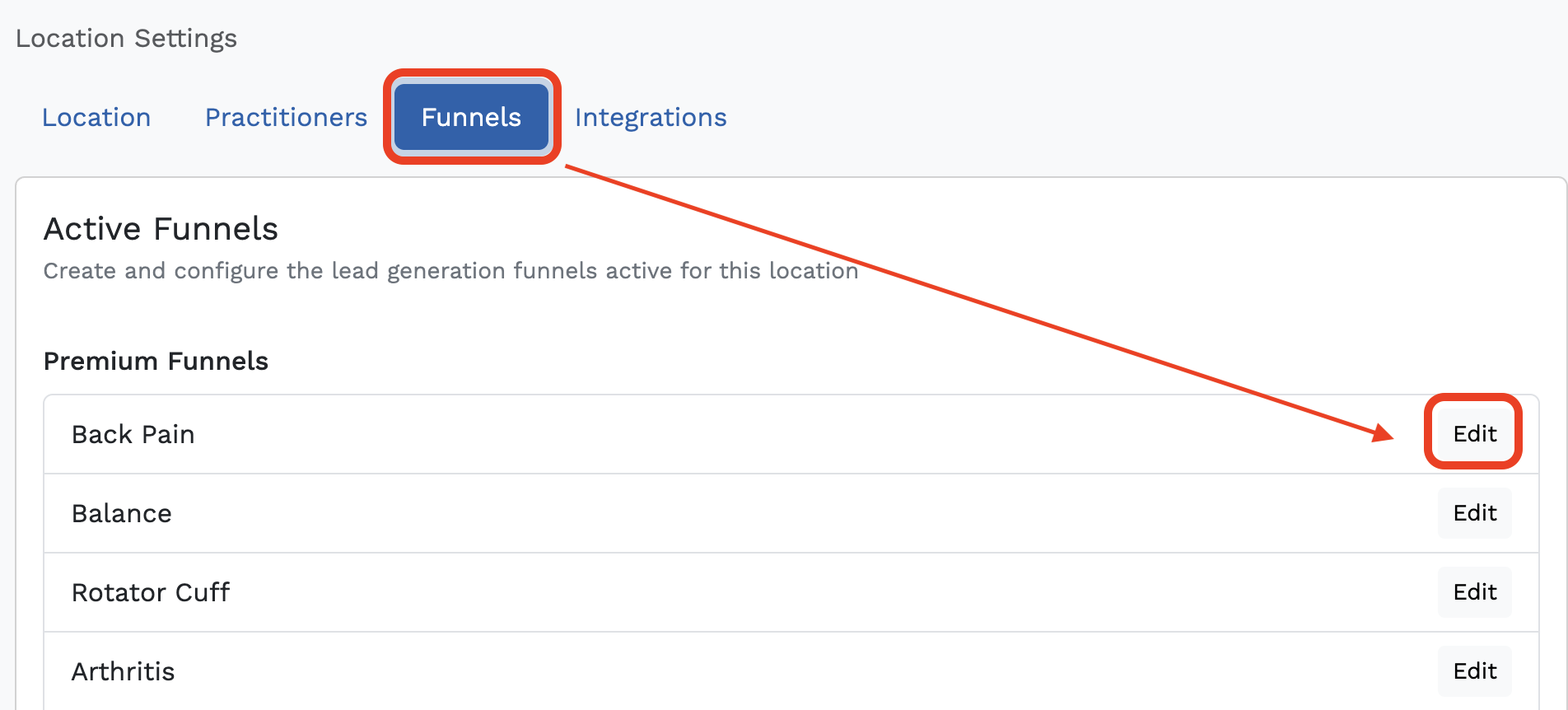
- In Breakthrough, open your Location Settings. (Make sure you're in the correct location if you have multiple locations in the system.)
- Click 'Edit' on the far right of the funnel you want to edit.
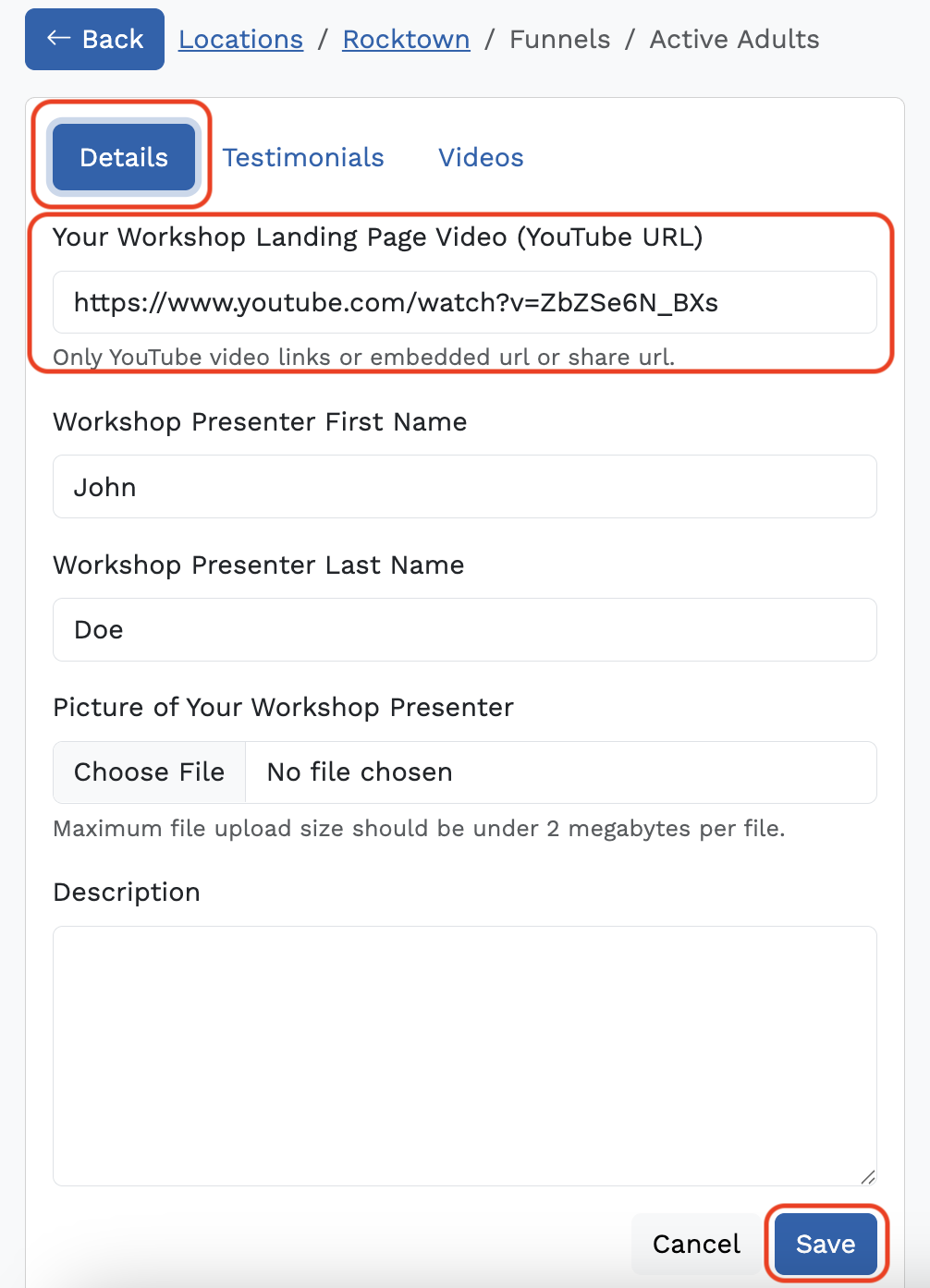
- You will see "Details" "Testimonials" and "Videos" - select a tab to edit the fields in it.
- If you are adding a Landing Page video for your Workshop Landing Page (Youtube URL) add the link to your YouTube video in the "Details" tab. The video in this field is what your leads will see when they click on your ads.
Important note: Videos must be an embedded link - for example, YouTube video > Share > Copy the Embed link code > paste it into the field as just the URL link (it should look like this for example: https://www.youtube.com/embed/q2_c2_WfJFg?si=DZnbn7dJOHaJmRHY) - At the bottom, click "Save".
Edit Indoctrination Videos
These videos are linked in the emails that your leads get once they register. They follow a similar theme regardless of the funnel:
- What kind of XYZ pain have you had in the last 7 days?
- The biggest mistakes that XYZ sufferers make
- The 3 most common causes of XYZ pain
- On the same Edit Funnels (Location Settings) page (same page as above), go to the "Videos" tab.
- Click Indoctrination. You'll see 3 Fields:
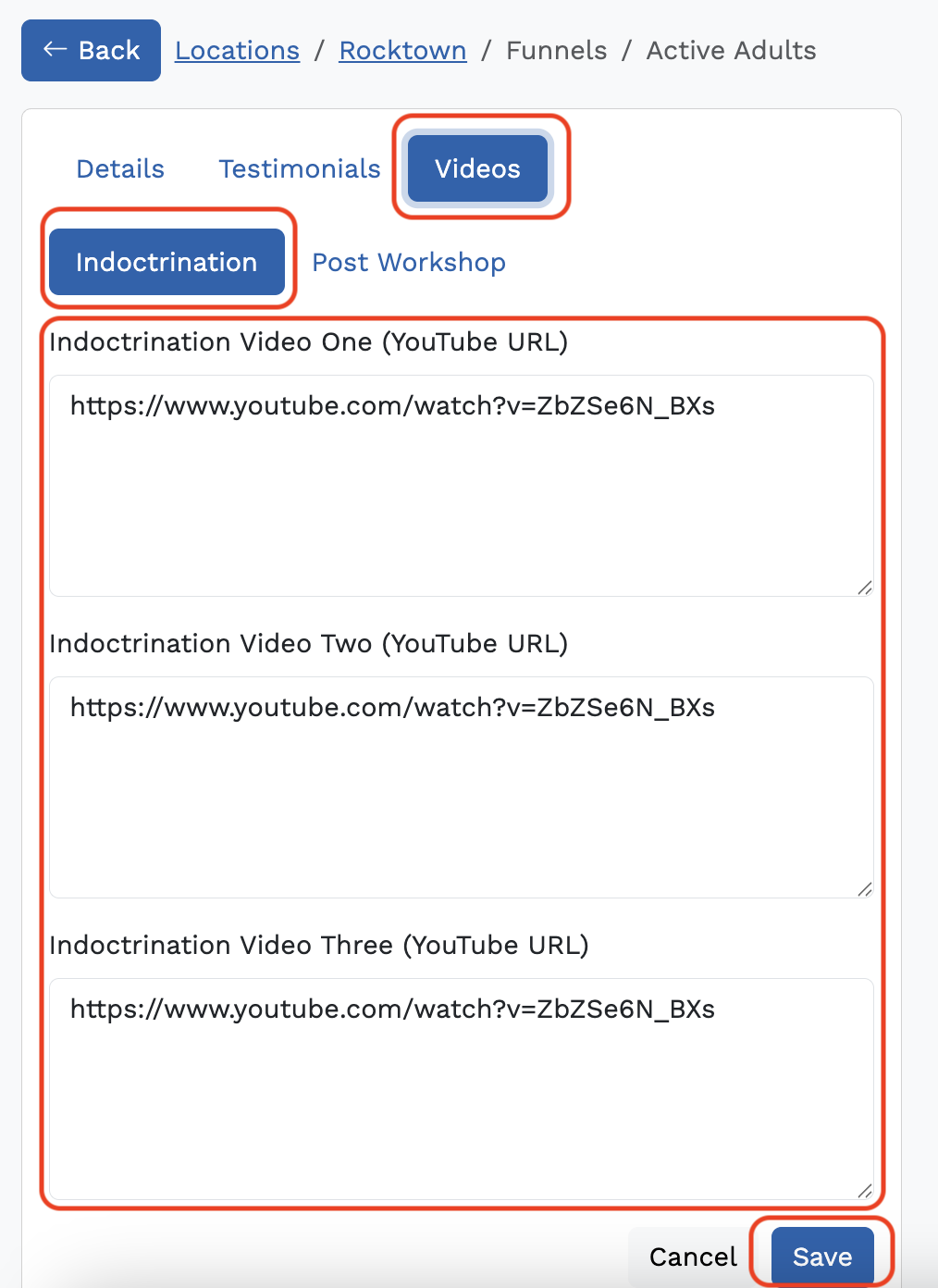
- Grab your embedded YouTube links - Copy and paste the link for your videos into the corresponding fields. Click "Save."
- Your videos should match the themes above so that they align with the email content. If you need scripts for filming, reach out to your CSM.
Edit Objection-Handling Videos
These videos are linked in the emails that your leads get if they attend your workshop but do not schedule. They follow a similar objection-handling theme regardless of the funnel:
- Is time an issue?
- Is money an issue?
- Is distance an issue?
- On the workshop settings page (same page as above), stay in the "Videos" tab.
- Click Post Workshop. 3 Fields should appear:
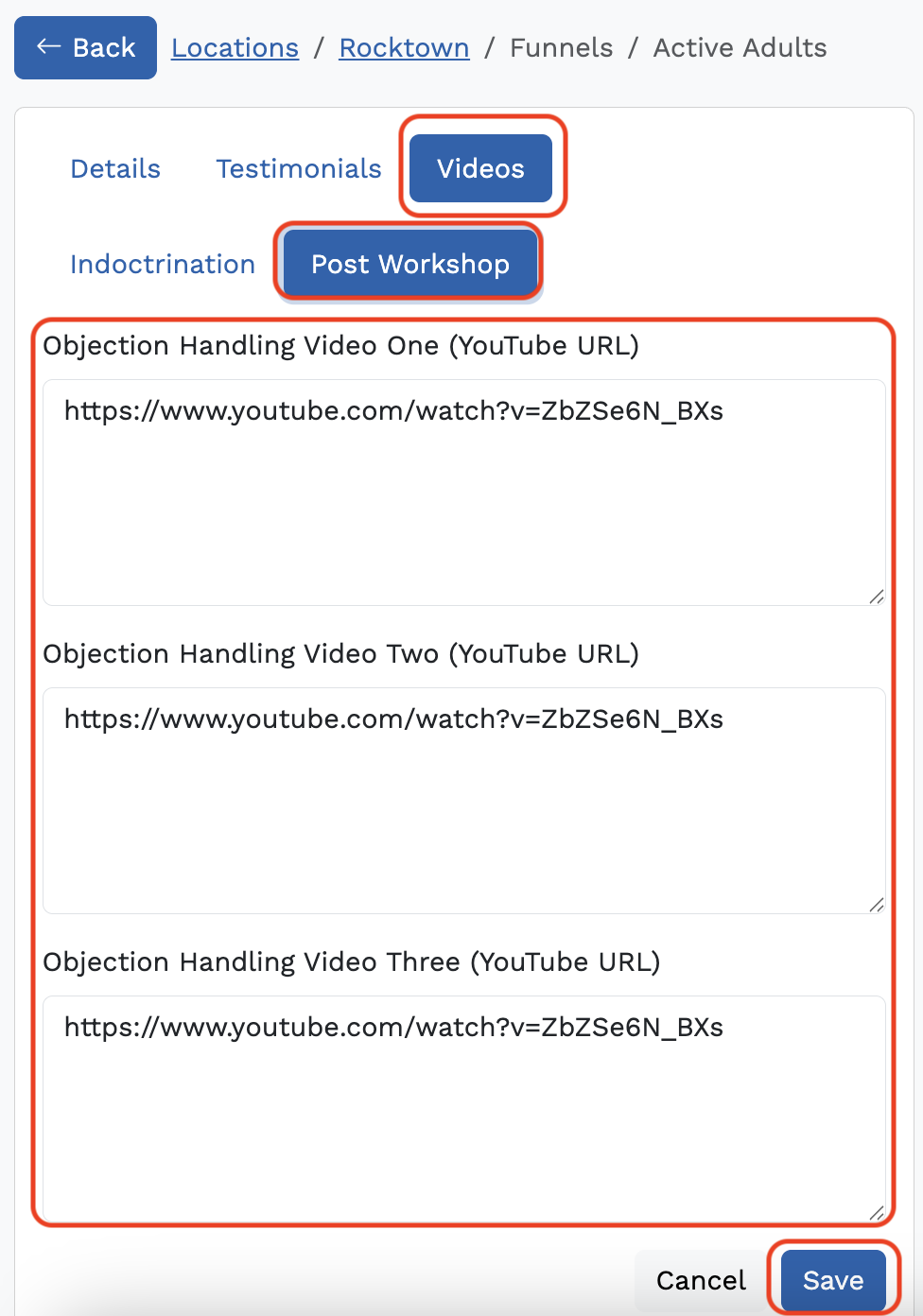
- Copy and paste the link for your videos into the corresponding fields. Click "Save."
Filming Landing Page Videos
Prep:
- Write and read scripts out loud before filming. We do not recommend fully memorizing the scripts. You want to sound confident and natural, not robotic!
- Please reach out to your CSM or support@getbreakthrough.com to gain access to our scripts.
- Try to use a neutral background so as not to create distractions. Our filming team uses a dark grey background for all videos.
- Please do not make any major edits to the scripts provided by Breakthrough, especially the landing page script. Our scripts are tested to convert and, most importantly, are Facebook-compliant.
- Set up a teleprompter with the scripts (Parrot Teleprompter, PromptSmart, and Teleprompter Pro Lite are a few teleprompter apps we recommend)
During Filming:
- Wear a branded polo or dress shirt that contrasts against the color of your chosen background.
- Film videos horizontally (landscape orientation) and from the waist up.
Was this article helpful?
That’s Great!
Thank you for your feedback
Sorry! We couldn't be helpful
Thank you for your feedback
Feedback sent
We appreciate your effort and will try to fix the article