v10.0 (2/3/26)

Modified on Wed, 4 Feb at 3:35 PM

RELEASE NOTES - ALL USERS


We're excited to share the latest updates and improvements in the Breakthrough software!


ENHANCEMENT: 

  • Work was completed on the Text Chat page to increase performance and improve the user experience. These changes include: 
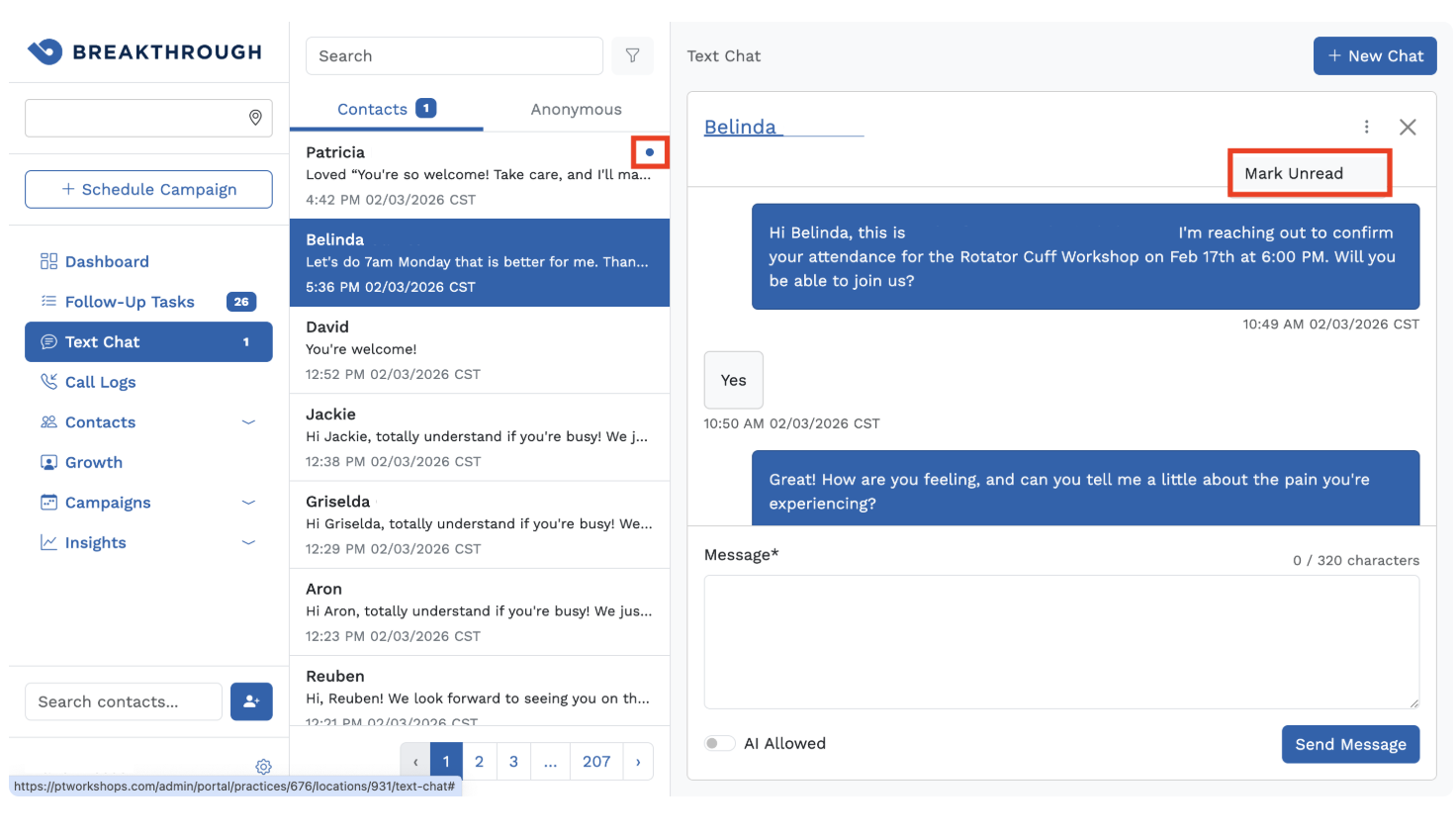
    • Individual folders for Unread, Read, and All Messages have been removed and replaced with a single log of all messages. 
      • The log is split into Contacts (left) and Anonymous (right) messages 
      • Unread messages are located at the top of the log with a blue dot to indicate they are Unread 
      • Click the three dots in the top-right corner of any conversation to find the Mark Unread button 
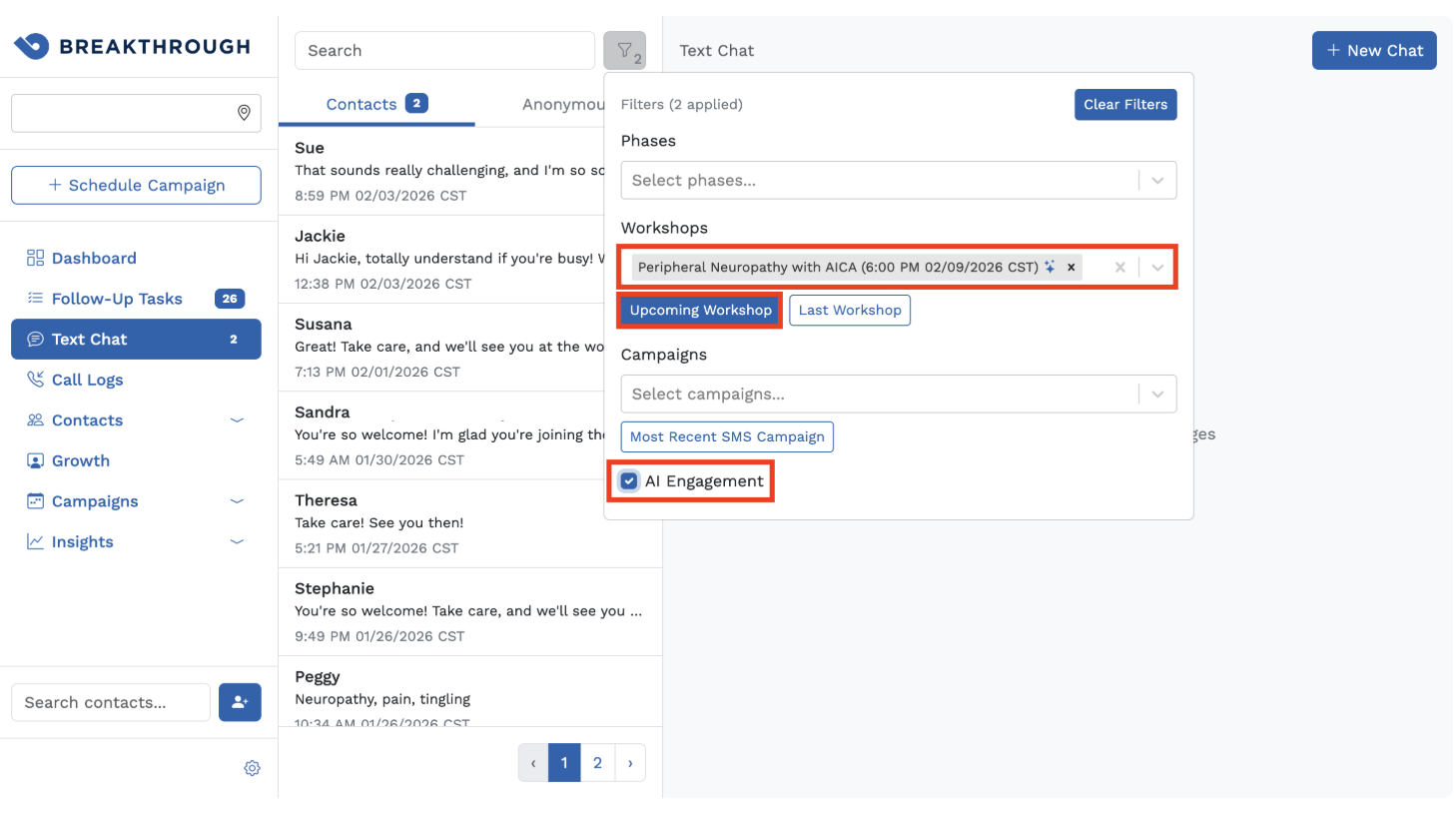
    • New Filter Options 
      • Filter by Phase
        • This filter is dynamic and will only display phases with active contacts 
      • Filter by Workshop
        • Most Recent Workshop 
        • Next Scheduled Workshop 
        • All Workshops 
      • Filter by Campaign
        • Most Recent SMS Campaign 
        • All SMS Campaigns 
      • Filter by AI Engagement
        • Filters for contacts that have been sent an AI-enabled campaign 
        • This filter can be combined with any of the other filters above to create a more targeted search 
        • Example: Set the Phase filter to Lead-QuickConfirmed and check the AI Engagement box to quickly locate contacts quick confirmed by the AI conversion agent

    • Back-end code improvements to increase speed and efficiency and decrease bugsNew Report - Product Utilization
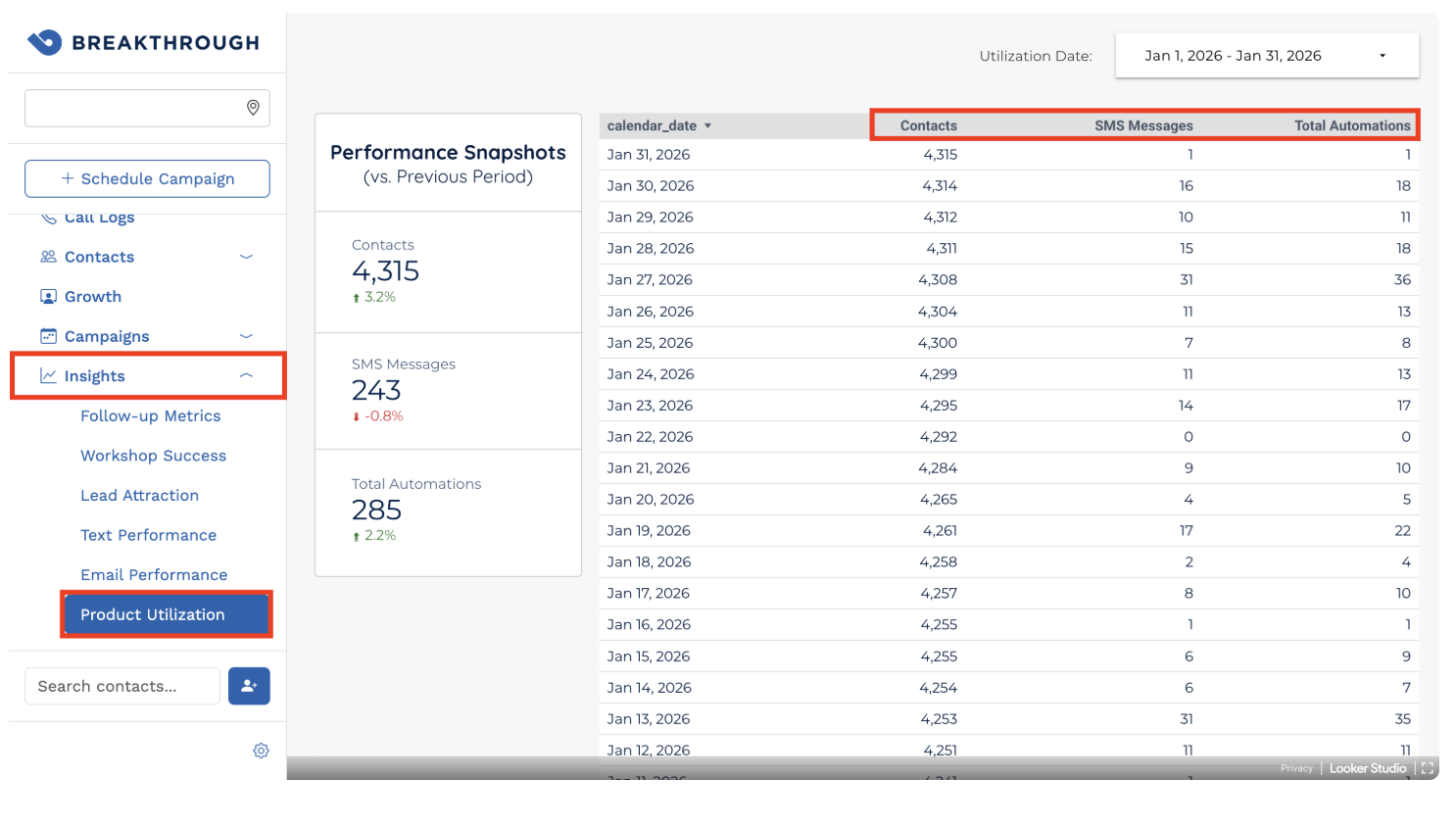
      • In preparation for pricing changes coming in April 2026, a new report was added to the Insights tab that provides an overview of monthly Contact, outbound SMS, and AI utilization.
        • Note: AI Automations include:
          • An AI-generated outbound SMS message
          • An AI-initiated contact phase change 
          • An AI-initiated appointment request for a contact 

  • Contact search results are now clickable, allowing you to right-click on a contact to open their record in a new tab if desired.


BUG FIXES:


  • An issue that caused a 504 timeout error when importing large files via the Contact Import workflow has been resolved.
    • If you need assistance with formatting a CSV list for import, please contact support@getbreakthrough.com and we would be happy to assist. 


  • An issue that caused the State field not to populate in Contact Details following a CSV import has been resolved.
    • Because Breakthrough operates in both the U.S. and Canada, Country is now a required field for all CSV imports that contain Address information. 
    • A new Country column has been added to the CSV template, which can be accessed by going to Location Settings > Manage Contacts > Import Contacts

    • The new column is also available on CSV exports

    • Accepted format: Country code (i.e.. US or CA)

    • A Country value is not required if the contact record does not contain Address data 


  • An issue that caused long Location names to overflow the Location selector box for Firefox users has been resolved. 


  • An issue that caused an error message if the Delay field of a Reactivation campaign had a value of "0" has been resolved.

Was this article helpful?

That’s Great!

Thank you for your feedback

Sorry! We couldn't be helpful

Thank you for your feedback

Let us know how can we improve this article!

Select at least one of the reasons

Feedback sent

We appreciate your effort and will try to fix the article