A Phase is a step along a contact’s journey from lead to patient. The Patient Phases are:
No Phase (imported contacts will show as this until updated)
Lead (workshop, appointments, and other registrants)
Free Screen
Initial Evaluation
Patient
You can think of Phases as 'buckets' that contain different status options. The current Phase determines which Status options from there are available. Think of the phase informing the status.
Status options trigger automated email campaigns to nurture your contacts, so it's important that you're using them and updating contacts accurately.
You may see contacts that are in similar Phase, but with different Status. For example, you may see a contact with a phase of 'FreeScreen-Confirmed' with a status of 'Confirmed' and 'FreeScreen-Scheduled' with a status of 'Free Screen'.
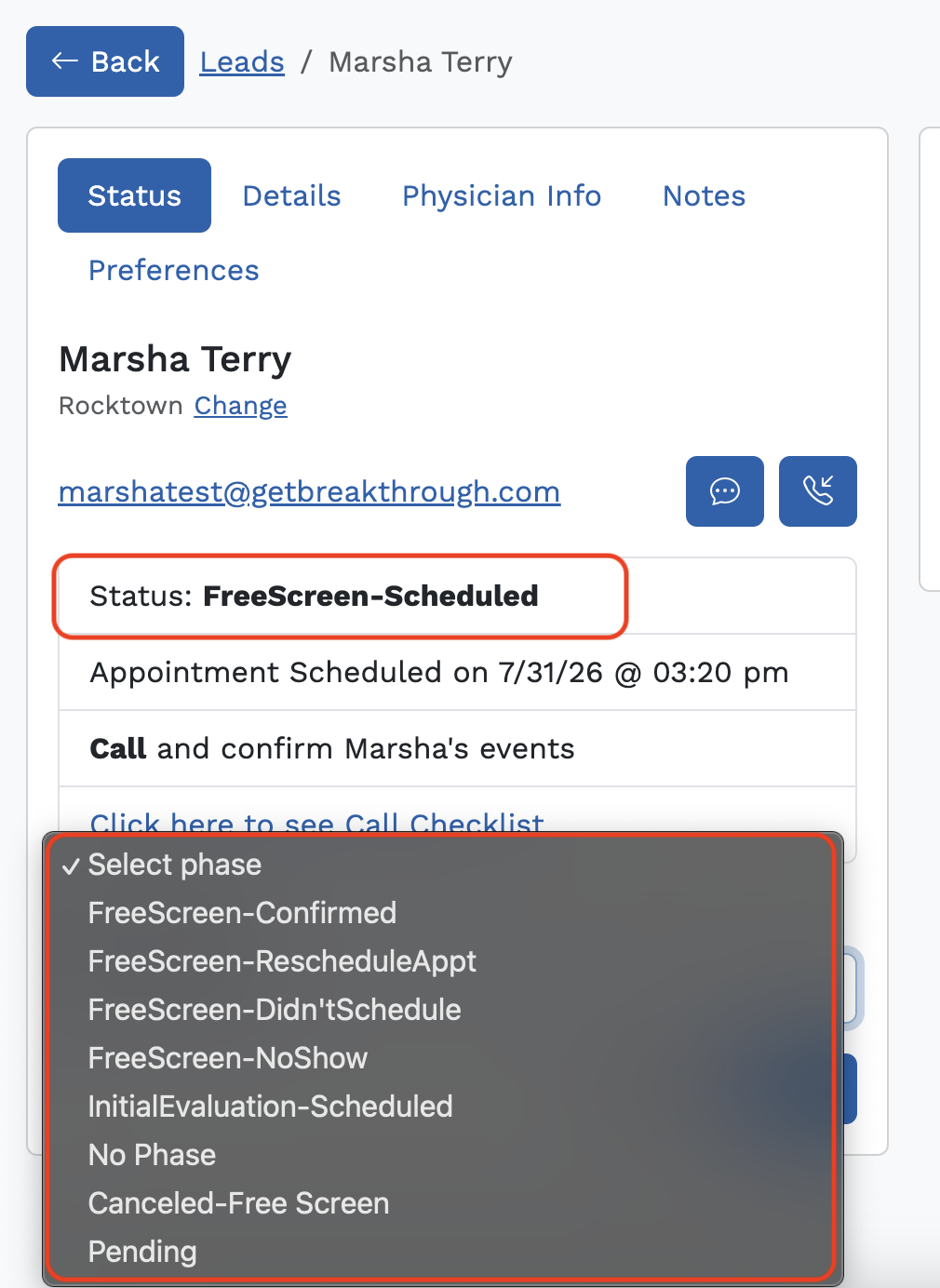
In the screenshot below for example, you can see the patient is in 'FreeScreen-Scheduled' status. The only phases available to move her to is informed by the 'FreeScreen-Scheduled' status that she is currently in:
Was this article helpful?
That’s Great!
Thank you for your feedback
Sorry! We couldn't be helpful
Thank you for your feedback
Feedback sent
We appreciate your effort and will try to fix the article