Workshop Confirmation Use Case:
AI Agent can be disabled by:
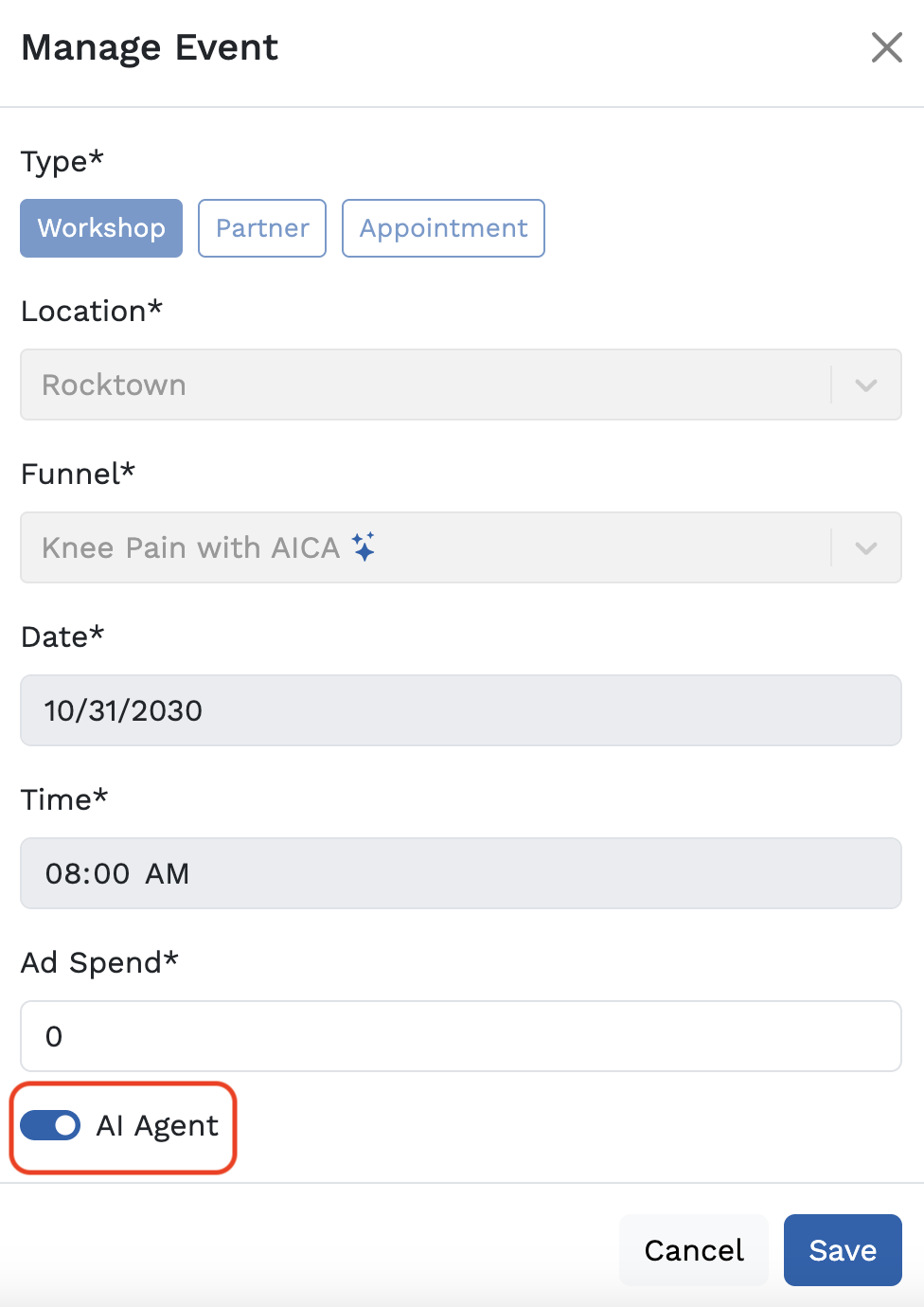
Toggling off AI Agent on the Manage Event modal (Growth > Edit button next to the workshop)
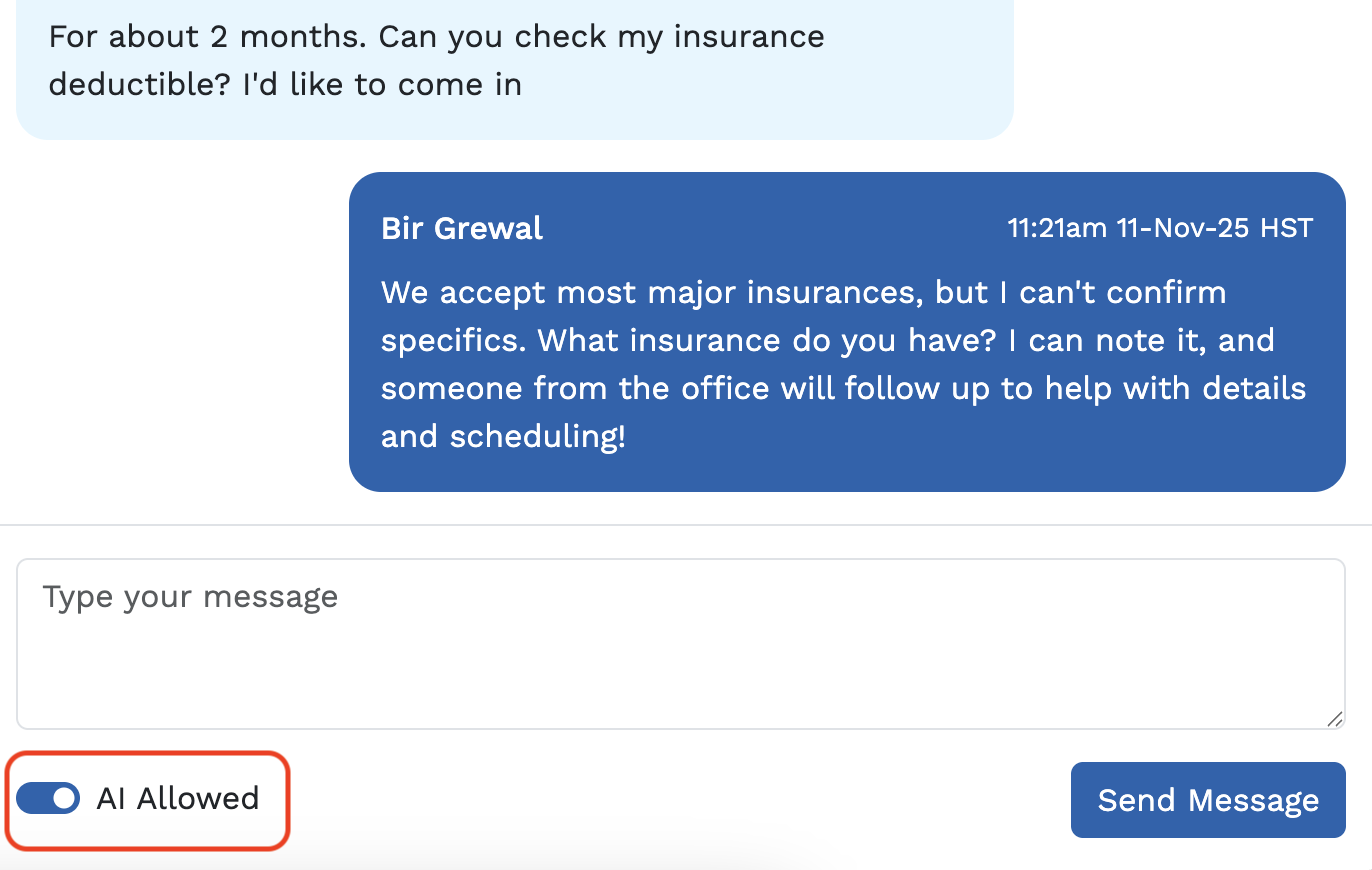
- At the individual contact level, using the toggle on the conversation in the chat log
Reactivation Use Case:
AI Agent can be disabled by:
- At the individual contact level, using the toggle on the conversation in the chat log
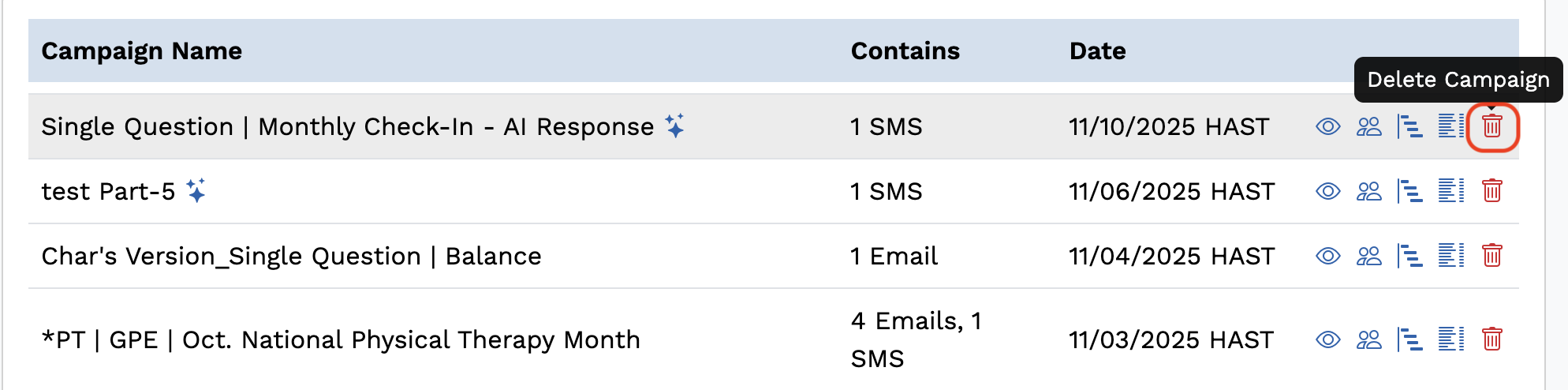
Deleting the AI-enabled campaign
NOTE: Use this option with caution; at this time, data from deleted campaigns is unavailable.
Note: If AI is disabled and then re-enabled again, it will respond to a contact who texts back - the contact does not need to wait until they are in a new AI-SMS campaign or an AI-enabled workshop again to get a response from the AI Agent. Keep in mind, AI is reactive to the conversation, meaning it will not retroactively bring up information from the previous "chat session" before it was disabled.If you have any questions on disabling the AI Agent, please reach out to support@getbreakthrough.com.
Was this article helpful?
That’s Great!
Thank you for your feedback
Sorry! We couldn't be helpful
Thank you for your feedback
Feedback sent
We appreciate your effort and will try to fix the article